

Introduction
Running a small business is not easy. You need to manage sales, customers, and marketing all at once.
However, the right tools can make everything much simpler.
Today, digital marketing tools help small businesses grow faster, reach more people, and save valuable time.
So, which tools should you actually use?
Let’s break it down in a simple and practical way.
Why Small Businesses Need Digital Marketing Tools
Marketing without tools can feel overwhelming. However, tools help you stay organized and efficient.
With the right setup, you can:
- Reach your target audience faster
- Automate repetitive tasks
- Track performance easily
- Improve customer engagement
- Increase sales with less effort
As a result, even small teams can compete with bigger brands.
Key Features to Look For
Before choosing any tool, focus on what really matters.
1. Ease of Use
You should be able to use it without technical skills.
2. Automation
Tools should handle repetitive tasks like emails and posting.
3. Analytics
Data helps you improve your strategy over time.
4. Integration
Good tools work well together.
5. Affordability
Budget-friendly options are important for small businesses.
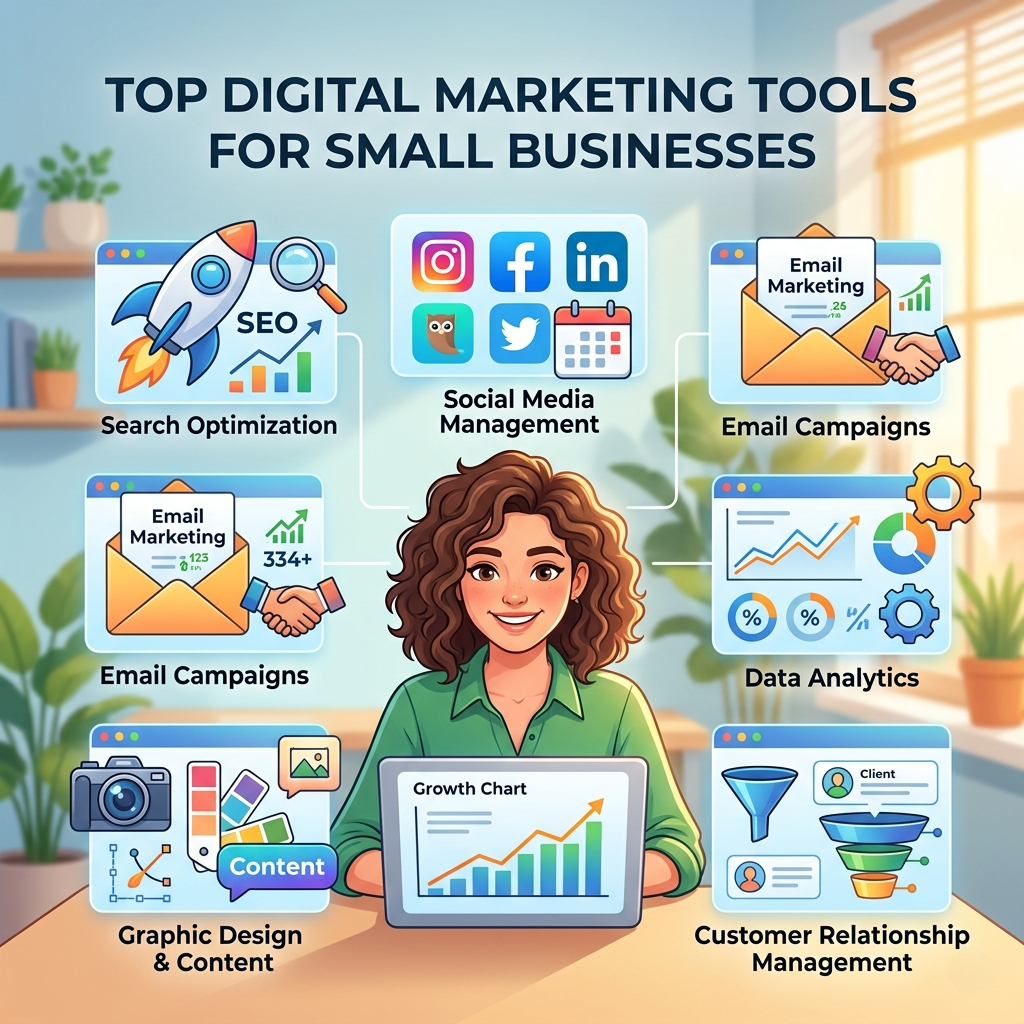
Top Digital Marketing Tools for Small Businesses
1. Canva
A simple design tool for creating visuals.
Best for: Social media graphics and marketing materials
Key Features:
- Drag-and-drop editor
- Ready-made templates
- AI design suggestions
Pros:
- Very easy to use
- No design skills needed
Cons:
- Limited advanced features
2. Mailchimp
A popular tool for email marketing.
Best for: Email campaigns and automation
Key Features:
- Email templates
- Audience segmentation
- Automation workflows
Pros:
- Beginner-friendly
- Strong free plan
Cons:
- Pricing increases with growth
3. Google Analytics
A must-have tool for tracking website performance.
Best for: Understanding user behavior
Key Features:
- Traffic analysis
- Conversion tracking
- Audience insights
Pros:
- Free to use
- Powerful data
Cons:
- Can feel complex at first
4. Hootsuite
Helps manage multiple social media accounts in one place.
Best for: Scheduling and managing posts
Key Features:
- Post scheduling
- Performance tracking
- Multi-platform support
Pros:
- Saves time
- Great for teams
Cons:
- Paid plans can be expensive
5. SEMrush
A powerful tool for SEO and competitor research.
Best for: Search engine optimization
Key Features:
- Keyword research
- Site audit
- Competitor analysis
Pros:
- All-in-one SEO tool
- Detailed insights
Cons:
- Higher cost
6. Shopify
Perfect for businesses selling products online.
Best for: Online stores
Key Features:
- Easy store setup
- Payment integration
- Marketing tools
Pros:
- Beginner-friendly
- Scalable
Cons:
- Monthly subscription
7. HubSpot
An all-in-one marketing and CRM solution.
Best for: Customer relationship management
Key Features:
- Email marketing
- Lead tracking
- Sales pipeline
Pros:
- Free tools available
- Scales with business growth
Cons:
- Advanced features are paid
Comparison Table
| Tool | Best For | Free Plan | Ease of Use |
|---|---|---|---|
| Canva | Design | Yes | Very Easy |
| Mailchimp | Email marketing | Yes | Easy |
| Google Analytics | Analytics | Yes | Medium |
| Hootsuite | Social media | Limited | Medium |
| SEMrush | SEO | No | Medium |
| Shopify | Ecommerce | No | Easy |
| HubSpot | CRM & marketing | Yes | Medium |
How to Choose the Right Tools
The best tools depend on your goals.
- For beginners: Canva + Mailchimp
- For SEO: SEMrush + Google Analytics
- For social media: Canva + Hootsuite
- For online stores: Shopify
- For all-in-one marketing: HubSpot
In most cases, combining 2–3 tools works best.
Best Practices for Using Marketing Tools
Tools alone are not enough. You also need the right strategy.
Follow these tips:
- Keep your branding consistent
- Focus on your audience’s needs
- Track results regularly
- Test different strategies
- Stay updated with trends
As a result, your marketing becomes more effective.
FAQs
1. What are digital marketing tools?
They are software platforms that help promote your business online.
2. Are free tools enough for small businesses?
Yes, many free tools are powerful enough to get started.
3. Which tool is best for beginners?
Canva and Mailchimp are great starting points.
4. Do I need all these tools?
No, choose tools based on your business needs.
5. How many tools should I use?
Start with 2–3 tools and expand as your business grows.
Final Thoughts
Digital marketing tools can transform how small businesses grow. They save time, improve efficiency, and help you reach more customers.
However, success comes from using them wisely.
Start small, stay consistent, and keep learning.
