

Introduction
Ever wonder why your website isn’t ranking even when your content is great?
In many cases, the problem isn’t content. It’s technical SEO.
Broken links, slow speed, or poor indexing can quietly hurt your rankings. That’s why technical SEO tools are essential.
Let’s explore the best tools that help you find and fix these hidden issues quickly.
What Are Technical SEO Tools?
Technical SEO tools scan your website and identify issues that affect performance in search engines.
They help you:
- Fix crawl errors
- Improve site speed
- Optimize structure
- Ensure proper indexing
As a result, your website becomes easier for search engines to understand and rank.
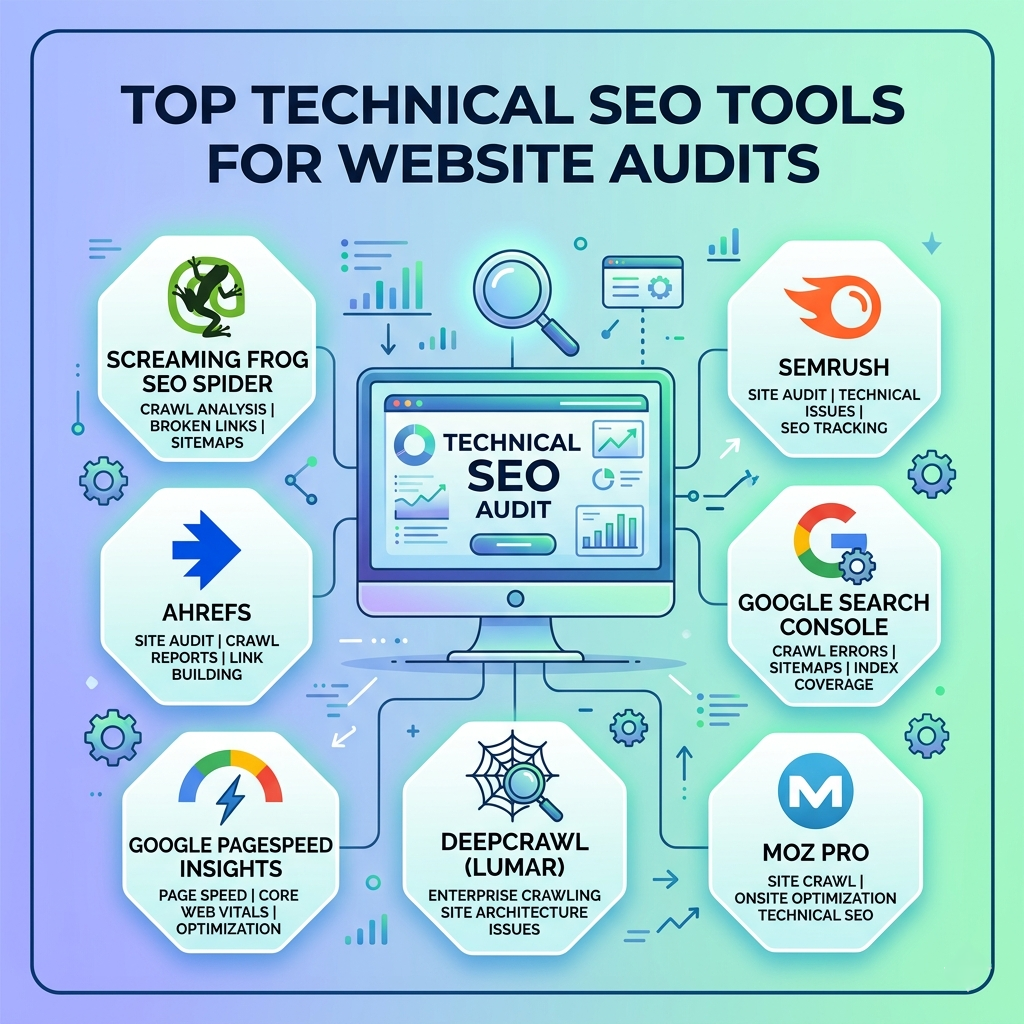
Top Technical SEO Tools You Should Use
1. Screaming Frog SEO Spider – Powerful Site Crawler
This tool is a favorite among SEO professionals.
It crawls your website like a search engine and finds technical issues.
Key Features:
- Broken link detection
- Duplicate content analysis
- Meta tag audits
- XML sitemap checks
👉 Best for: Deep technical audits
2. Google Search Console – Must-Have Free Tool
This tool shows how your site performs in Google search.
It also highlights technical problems affecting your visibility.
Key Features:
- Index coverage reports
- Mobile usability issues
- Core Web Vitals
- Crawl error alerts
👉 Best for: Monitoring website health
3. Ahrefs Webmaster Tools – Detailed SEO Insights
Ahrefs offers a free version that includes powerful audit features.
It helps identify both technical and backlink issues.
Key Features:
- Site health score
- Broken links report
- Internal linking analysis
- SEO issue tracking
👉 Best for: Combined technical + backlink analysis
4. SEMrush Site Audit – All-in-One Audit Tool
This tool provides a complete overview of your website’s health.
It categorizes issues by priority.
Key Features:
- Crawlability checks
- HTTPS issues detection
- Performance insights
- Structured data analysis
👉 Best for: Full website audits
5. GTmetrix – Speed Optimization Tool
Page speed is a major ranking factor.
GTmetrix helps you analyze and improve loading time.
Key Features:
- Page speed scores
- Performance reports
- Loading waterfall charts
- Optimization suggestions
👉 Best for: Speed and performance
6. PageSpeed Insights – Core Web Vitals Checker
This Google tool evaluates your site’s speed and user experience.
It focuses on real-world performance data.
Key Features:
- Core Web Vitals metrics
- Mobile and desktop analysis
- Improvement suggestions
👉 Best for: User experience optimization
7. Sitebulb – Visual SEO Audits
Sitebulb makes technical SEO easier to understand with visual reports.
It’s great for spotting patterns and issues.
Key Features:
- Visual crawl maps
- Audit hints and explanations
- Structured data checks
- Internal link insights
👉 Best for: Easy-to-understand audits
How to Choose the Right Tool
Different tools serve different needs.
Here’s a quick guide:
- Beginners: Google Search Console + PageSpeed Insights
- Technical audits: Screaming Frog + Sitebulb
- Advanced SEO: Ahrefs or SEMrush
- Performance focus: GTmetrix
Start simple, then expand your toolkit.
Real-World Example
Imagine your website isn’t ranking.
First, you run a scan with Screaming Frog. It finds broken links and missing meta tags.
Next, you check PageSpeed Insights and discover slow loading times.
After fixing these issues, your rankings improve.
That’s the power of technical SEO.
Common Mistakes to Avoid
Even with great tools, mistakes happen.
Avoid these:
- Ignoring crawl errors
- Not fixing broken links
- Overlooking site speed
- Skipping mobile optimization
Instead, run regular audits and fix issues quickly.
FAQs
1. What is technical SEO?
It focuses on improving the backend of your website to help search engines crawl and index it.
2. Are free tools enough for audits?
Yes, free tools can cover most basic technical SEO needs.
3. How often should I run a website audit?
At least once a month, or after major updates.
4. Which tool is best for beginners?
Google Search Console is the easiest and most essential tool.
Final Thoughts
Technical SEO might seem complex, but the right tools make it simple.
They help you uncover hidden issues, improve performance, and boost rankings.
So, instead of guessing, use these tools to take control of your website’s health.
